AI Companion App Guide: Characters, Memory, Voice, and More
Compare AI companion apps by character depth, chat continuity, voice, images, privacy, and signup. See how browser-based WSUP AI works before you choose.

An AI companion app is built around one character you keep talking to, not a stream of one-off answers. The good ones keep that character's voice steady, give you real control over the conversation, and are honest about access, limits, and privacy. The rest promise a best friend and deliver a chatbot with a name.
WSUP AI is the browser-first option in this group: pick a public character and start as a guest, nothing to install. This guide covers what to compare, how WSUP works, and where to keep your expectations in check.
Table of Contents
What Counts as an AI Companion App?
How to Compare AI Companion Apps
How WSUP AI Works
Create Your Own Companion Character
Which WSUP Companion Personas People Use
WSUP AI and Other Companion Apps
Privacy and Realistic Expectations
AI Companion App FAQ
What Counts as an AI Companion App?
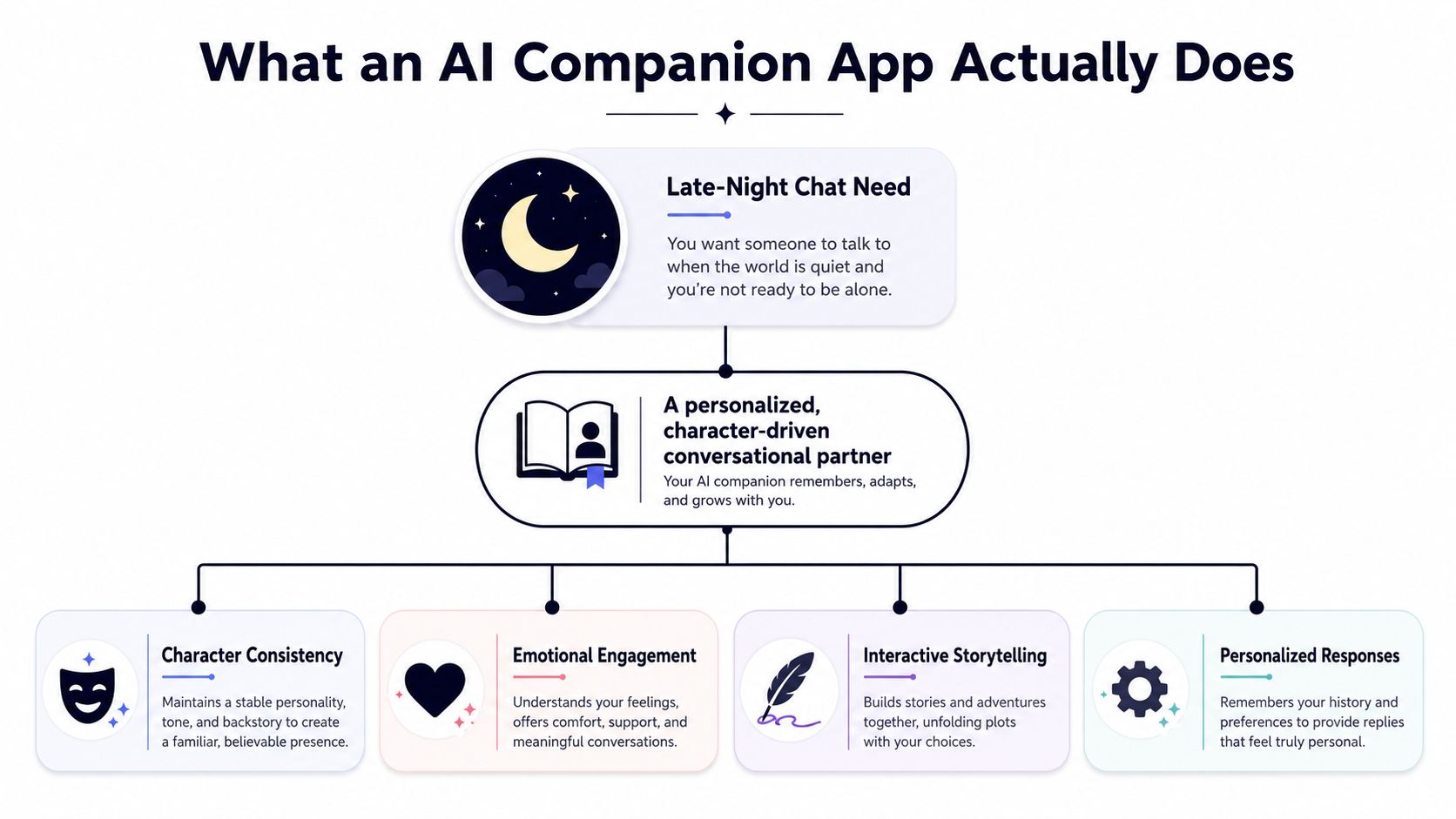
A general assistant answers questions and gets tasks done. A companion starts from an identity: a name, a backstory, an opening message, and a way of speaking you would recognize three days later. The conversation is the product, so continuity and voice matter more than the length of the feature list.
Continuity is not the same as a perfect lifelong memory, and no app has that. What you want is a companion that keeps the current thread coherent and tells you plainly how its memory works. If an app says it will always remember everything, ask how, and do not take the headline as the answer.
Voice, images, and creator tools add depth. None of them rescues a generic character. Read the profile and the opening message first. Then send a concrete setup and see whether the character is still the same person five turns later.
How to Compare AI Companion Apps
Do not choose from a landing page. Have the conversation, then compare the parts you will bump into every day.
| Question | What to check |
|---|---|
| Does the character feel distinct? | Look for a clear identity, backstory, opening tone, and consistent replies. |
| How does continuity work? | Check whether later replies use the active thread and whether the app explains the limits of its memory. |
| What control do you have? | Look for response regeneration, character editing, and public or private creation options. |
| Which media modes are available? | Confirm whether voice and images are universal, character-specific, optional, or subject to limits. |
| Where can you use it? | Decide whether you want a browser experience, a native mobile app, or both. |
| Can you try it before registering? | Check whether guest access exists and what signing in adds. |
| Are content controls clear? | Look for visible audience settings, moderation rules, and age-appropriate boundaries. |
| What happens to your data? | Read the privacy and deletion terms instead of assuming that “private” means anonymous or encrypted. |
Price matters too, but what you are really comparing is the limits behind the price. A free entry point can still cap generation, and a paid plan may reserve voice, images, or longer sessions for a higher tier. The current product page beats any comparison chart, including the one above.
How WSUP AI Works
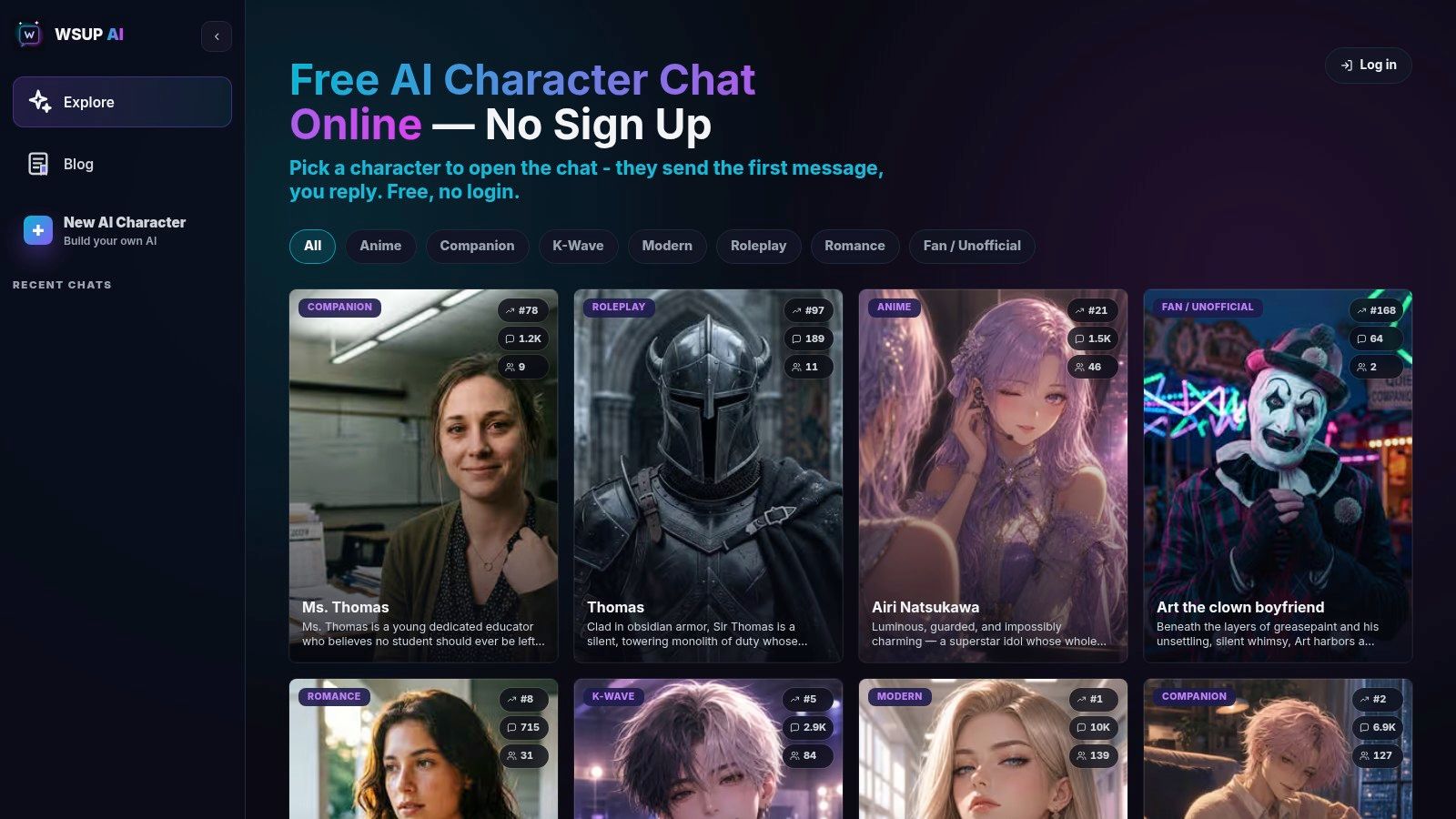
Start at the WSUP AI character roster and pick a public character. Every profile opens with its own message, so you can judge the voice and the scenario before you commit to a long chat. You can begin as a guest. WSUP is a browser product, not a native iOS or Android app.
Once you are talking, WSUP keeps an active thread for that user-character chat and feeds earlier messages from it into later replies. That gives you in-thread continuity. It is not perfect, permanent, or human-like memory, and it is not sold as that.
If the tone misses, regenerate the welcome or the latest reply without starting over. That is the move for a line that breaks the scene or sends the character somewhere you did not want to go.
Media is there when the conditions are met, not on every turn. Audio is generated on demand when an eligible reply shows an audio control. Images are generated when you explicitly ask for a visual and the feature is available. The AI chat with voice guide walks through the voice side.
What Signing In Changes
You do not need an account to start. Signing in adds saved and synced chat history, keeps the characters you create, and raises the image and audio limits. Starting as a guest is low friction. It is not a promise of anonymity or end-to-end encryption.
Create Your Own Companion Character
If nobody on the public roster is the persona you have in mind, use Create Character. You set a name, gender, category, description or backstory, opening greeting, portrait, and public or private visibility, plus filtered or mature-theme settings.
Private characters are yours alone by default. Public characters wait for approval before they join the roster. One distinction worth holding onto: "private character" describes who can see the character inside the product. It says nothing about how data is stored.
For a step-by-step approach to description, greeting, and personality choices, see how to create an AI character.
Which WSUP Companion Personas People Use
In the 30-day production window ending July 31, 2026, Spice, Kai, and Mika had the strongest reach among current Companion-category characters, measured by unique regular visitors to their character pages. Configured test traffic and non-regular virtual traffic were excluded, and a read-only production check of conversation volume put the same three at the front.
That is a dated usage ranking, not a quality score, and the order will move. Use it as a place to start, read each profile and opening message, and go with the setup that fits the conversation you want.
For more advice on starting and steering a scene, read how to talk to AI characters.
WSUP AI and Other Companion Apps
Replika, Kindroid, Nomi, and Character AI come up in the same searches as WSUP AI, and each takes a different route in. WSUP's difference is practical: it runs in the browser, lets you start as a guest, gives you a browsable roster, and includes a public or private character creator.
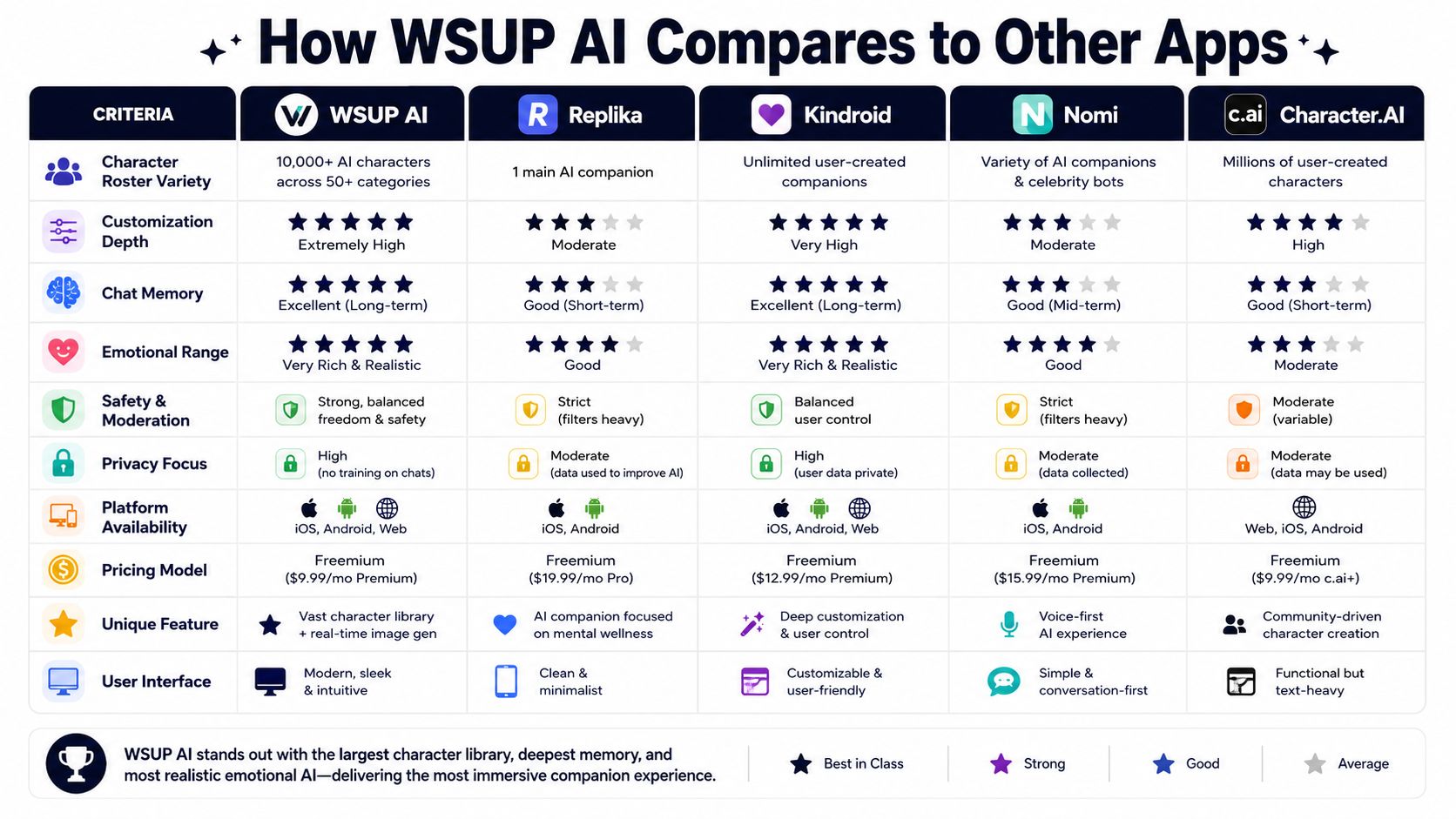
Choose by the experience you actually want:
Fast browser access: check whether you can start without an install or forced account creation.
One ongoing companion or a character catalog: decide whether you want to develop one persona or browse many.
Custom creation: compare private/public controls and how much of the identity you can edit.
Voice and images: verify current eligibility and limits instead of assuming every chat supports them.
Privacy and deletion: read the current policy for each service before sharing sensitive information.
Competitor platforms, prices, and policies change. Check their official product pages and app-store listings on the day you decide. For a broader character-platform comparison, use the Character AI alternatives guide.
The embedded third-party video compares several well-known companion products. Treat any feature or pricing claim in it as a snapshot from the day it was recorded.
Privacy and Realistic Expectations
An AI companion can carry roleplay, creative scenes, conversation practice, or casual company. It is still software. It is not a human relationship, a therapist, or a confidential professional service, and it will not become one because the character is good.
Before you share anything sensitive, find out where conversations are stored, whether they may be used to improve models, how account and data deletion work, and which content controls apply. Guest access that asks for nothing at the door proves nothing about anonymity, encryption, or deletion.
For WSUP, read the current Privacy Policy and Terms. Hold every alternative to the same standard: precise controls and current documentation beat "completely private," "unlimited," or "always remembers."
AI Companion App FAQ
Is WSUP AI free to try?
Yes, as a guest. Usage and media features have limits, so guest access is not unlimited generation.
Can I use WSUP AI without signing up?
Yes. Start as a guest. Signing in adds saved and synced chat history, keeps the characters you create, and raises the image and audio limits.
Does WSUP AI remember conversations?
It uses earlier messages from the active character thread in later replies. That is in-thread continuity, not perfect lifelong memory.
Does it support voice and images?
Yes, with conditions. Audio appears on eligible replies. Image generation starts from an explicit visual request when the feature is available.
Can I make a private character?
Yes. Private characters stay owner-only by default. Public characters require approval.
Is there a native WSUP AI app?
No. WSUP AI is browser-first. Use it at the WSUP AI website with nothing to download.
If you want to test an AI companion app without installing anything, pick a character on WSUP AI and start as a guest. Then judge it the way you would judge any companion: by the conversation. Voice, continuity, control, and clear limits matter more than a dramatic promise.