Anime AI Chat: Start Better Character Roleplay
Start an anime AI chat on WSUP AI, try a guest reply, learn how to keep roleplay on track, or create an original character of your own.
Anime AI chat works when the character gives you something to answer. An opening scene beats an empty prompt box every time: you can see who the character is, what is happening, and where you might take it next.
On WSUP AI, browse the Anime collection, open a character, and reply to their first message. You can send that first reply as a guest. If you already have a character in your head, the separate Create Character flow lets you build an original anime-style persona instead.
What anime AI chat is—and what it is not
Anime AI chat is interactive character roleplay. You are not asking an assistant for neutral answers, and you are not tapping through a fixed visual novel. You step into a scene with a persona who has a point of view, and your replies shape where it goes.
The setup matters more than the label. "Tsundere roommate" names an archetype. It does not create a situation. "A proud roommate who finds the train ticket you hid because you planned to leave without saying goodbye" gives the character a relationship, a conflict, and a reason to speak in the first line.
A character worth your time does four things:
Open with a scene you can respond to.
Keep a recognizable tone.
React to the details you add.
Let you redirect the moment when a reply misses.
When those pieces are there, the exchange feels like a collaboration. When they are missing, even polished dialogue starts to feel like a generic chatbot wearing anime art.
Start an anime AI chat on WSUP AI
The shortest route is the public Anime collection. It puts anime-style characters in one place, so you can compare portrait, short description, and premise before you open a chat.
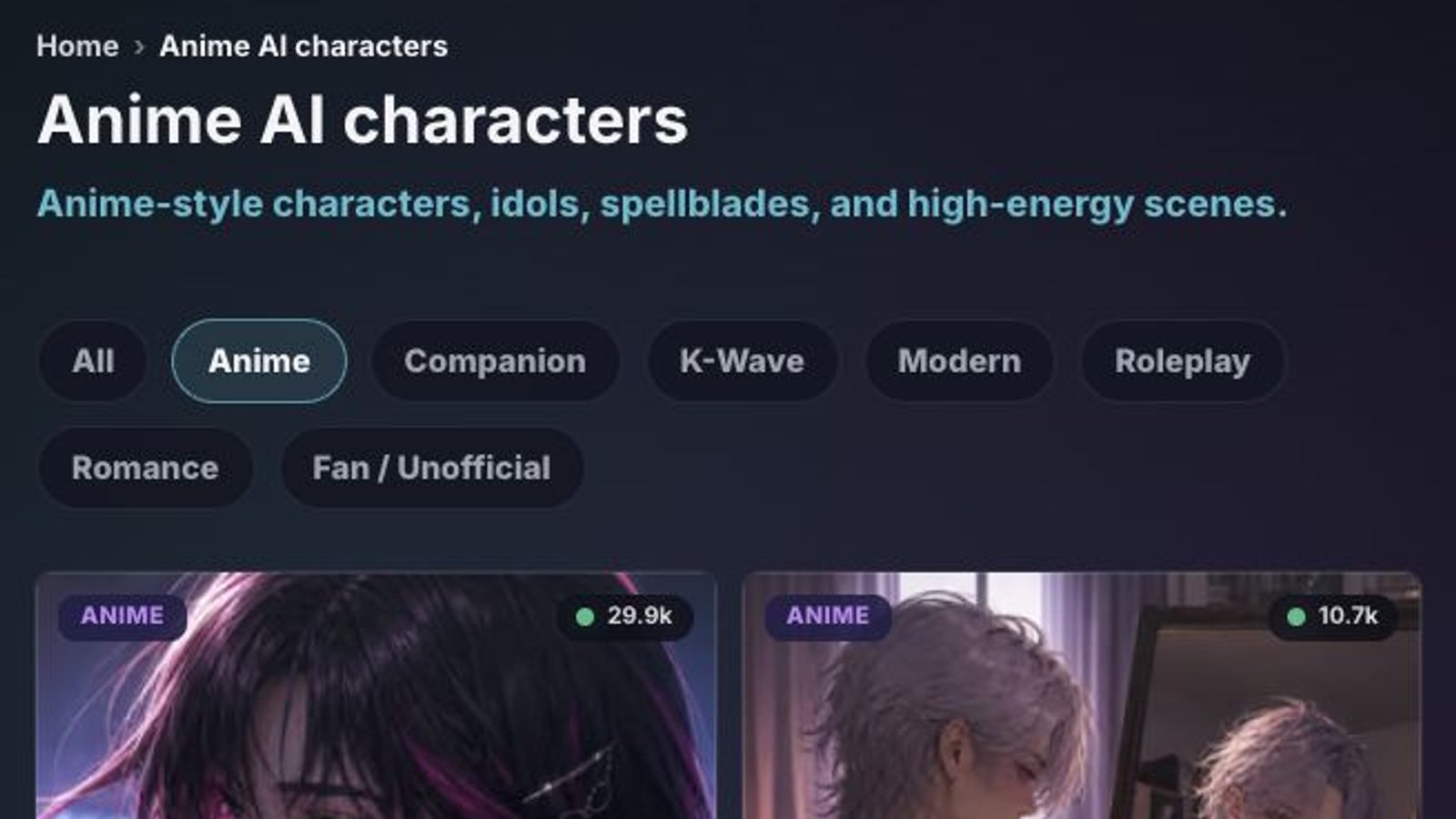
- Browse for a clear premise
Look past the artwork. A good card hints at a role and a situation: an idol with a dangerous second life, a rival after a match, a detective working through the night, a guarded companion on the road.
- Read the character’s opening message
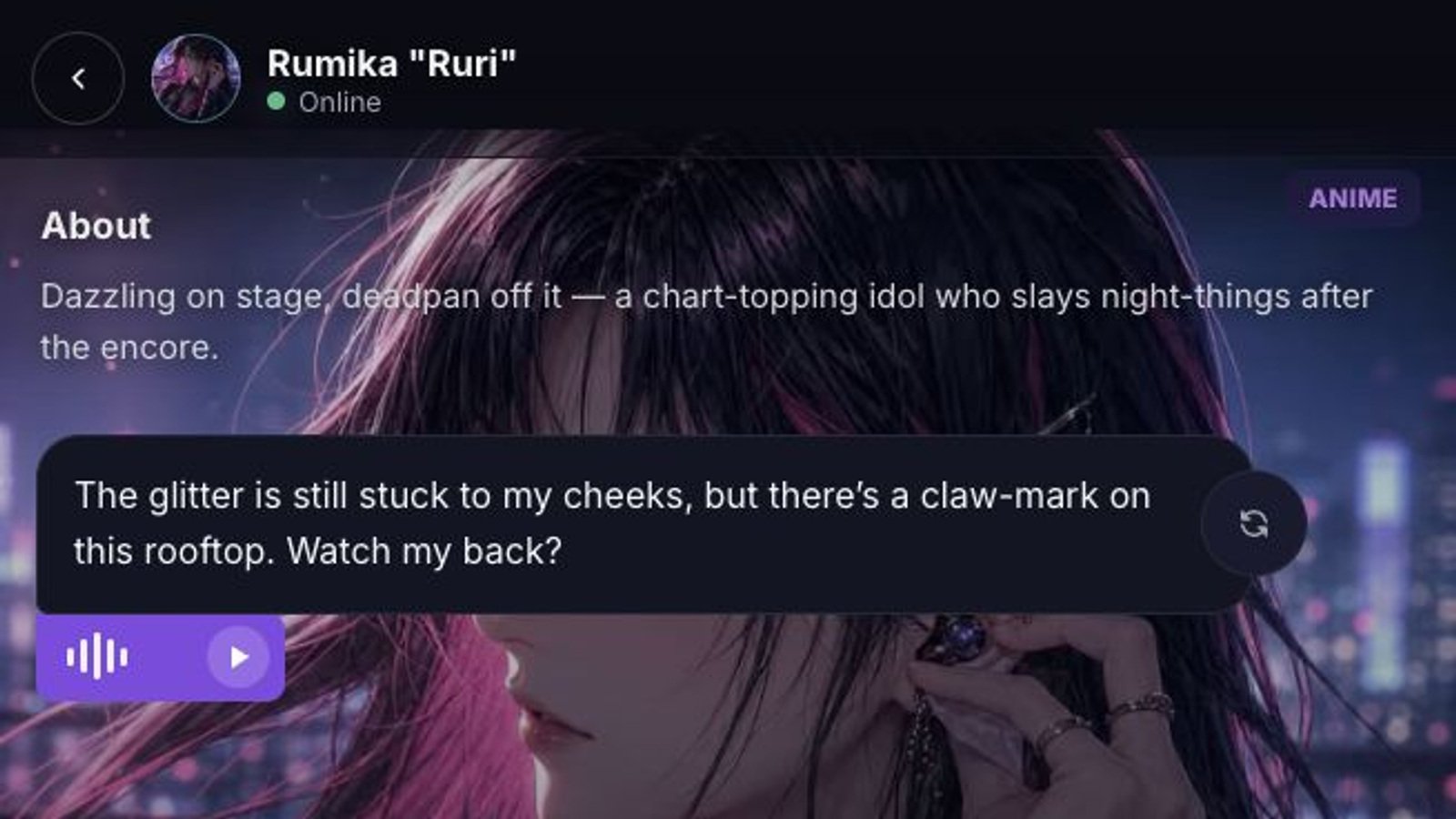
WSUP characters speak first. That line should pin down at least one anchor: the setting, your relationship, a goal, or a problem. If the greeting could belong to anyone, try another character.
- Reply to what is already happening
You do not need a long prompt. Answer the character's action, add one detail, or make a choice. Since a guest can send the first reply without signing up, it is easy to sample a few openings before you settle on one.
Pick a character by the relationship, not just the archetype
Archetypes set the tone. Relationships make scenes. A rival gives you friction. A mentor gives you a goal and someone to argue with. A companion makes room for slower conversations. An adventure lead gets things moving right away.
Before you start, ask two questions:
Why is this character talking to me?
What is already under pressure?
"Reserved swordswoman" answers neither. "A reserved swordswoman escorting you through a hostile pass because she owes your family a debt" answers both. You know why you are together and what can go wrong.
That is also why an original character can be more satisfying than a loose copy of a famous one. You get to set the exact relationship and the opening pressure instead of leaning on recognition.
Four first messages that give the scene somewhere to go
A first message needs one useful move: an action, a constraint, or a question. These four leave the character room to react.
Rival
“You beat me by one point, so I am not congratulating you yet. Walk with me to the station and explain what you changed in practice this week.”
Mystery
“I found your name in the margin of a library book that disappeared ten years ago. Why does the ink still look fresh?”
Slice of life
“The café closes in twenty minutes, and the owner asked us to finish the window tonight. Are we choosing summer festival or rainy-day jazz?”
Fantasy
“The gate stays open until moonrise, and I can carry one bag, not three. What are you taking into the ruins?”
Each one creates direction without writing the character's answer for them. When a scene stalls later, do the same thing: add one object, one deadline, one decision, or one piece of information that changes the moment.
Keep the roleplay in character
Long prompts do not cure drift. A few stable anchors are easier for the character to hold:
Location: where the scene is happening.
Relationship: who you are to each other.
Goal: what someone wants right now.
"We are on the school roof after practice. You are my rival. I need your help before tomorrow's match." That is enough to carry several exchanges.
Add one new detail at a time. A note in someone's pocket, a train about to leave, a rumor neither of you wants to repeat. Each gives the character something concrete to react to without burying the scene.
When a reply contradicts the setup, say so plainly: "We have not met before," "Stay in the classroom," "Keep the tone teasing, not hostile." Correcting the fact works better than explaining why the model got it wrong.
Use Regenerate when you want another take on the current reply: the line is generic, the emotion is off, the pace jumped, or the response ignored the detail that mattered. Change the premise only when the scene itself has stopped working.
Create your own original anime character
The WSUP Create Character flow is for when the relationship you want is too specific for the public collection.
You set the character's name and gender, choose the Anime category, pick public or private visibility, and choose a Chat Filter: Filtered or Unfiltered. The profile also takes a description, an optional greeting and background, and a portrait stage with generation help. Public characters need admin approval. Private is handy while you are still testing the idea.
Start with three decisions:
Hook: one trait or role that changes how the character behaves.
Relationship: why the character cares about the user.
Opening pressure: what forces the first exchange to happen now.
For example: a transfer student secretly tracks cursed objects; you are the only classmate who noticed; one of those objects has started humming inside your backpack. That does more than a page of unrelated biography.
The greeting should show the character, not list their traits. Put them in motion, let the tone come through, and give the user a clear choice or question. For a deeper setup walkthrough, read the WSUP character creation guide.
Images and voice are useful, but not automatic
Media can make an anime AI chat more expressive. Text is still the baseline. Generated image replies depend on an explicit visual request, the current configuration, eligibility or quota, and a successful generation. Ask a character to show an outfit, a room, or a dramatic reveal and you may get a picture when all of that lines up. It is not guaranteed on every reply.
Audio is on demand. The play control appears only on eligible replies for characters with an enabled, reviewed voice profile, and pressing it generates or loads audio for that saved reply. WSUP does not present this as universal live voice calling.
The practical rule: let text carry the scene, ask for an image when the visual itself matters, and use audio when hearing a particular line adds something. The voice guide explains the current experience in more detail.
Guest chat or account?
Guest mode is enough to open a character and try the first reply. It is the fastest way to test the tone and see whether a premise works for you.
An account is for persistence. It gives you saved chat history, the characters you create, and higher generation, image, and audio limits. You can still pick "Continue as guest" when you do not need any of that yet.
FAQ
Is anime AI chat free to try?
Yes. WSUP lets a guest try the first reply without signup. Limits still apply, and some media features depend on eligibility and configuration.
Do I need an account?
Not for the first guest reply. Create an account when you want saved history, your created characters, and higher limits.
Can I create my own anime character?
Yes. The Create Character flow includes the Anime category, profile fields, visibility and chat-filter choices, a greeting and background, and portrait generation help.
Are the characters official?
Do not assume any link to an anime studio, publisher, or rights holder. Original characters are created by users or WSUP. Fan-inspired characters should be labeled Fan / Unofficial so nobody mistakes them for the official thing.
Can replies include images or audio?
Yes, when available. Image replies need an explicit visual request plus a successful, eligible generation. Audio appears on eligible replies for voice-enabled characters and starts when you press the control.
To try anime AI chat now, browse the Anime collection. To build a specific relationship or scenario, open Create Character and start with a hook, a relationship, and an opening problem.